Creating a vehicle sandbox with Google Gemini
The success of my previous experiment with Microsoft Copilot gave me the curiosity to see how other model's performed. I wound up with the perfect setup for this: a weekend looking out a window with about an inch of snow and ice slush covering everything. I repeated my previous experiment with Microsoft Copilot but this time instead with Google Gemini. I have a subscription to "Google Pro" or whatever they branded it as this month. I use the "Thinking" model when conversing with it. My overall goal remained the same: to generate a 3D video game of some kind.
I'll at this point include my standard disclaimer that compiling and running code generated by an LLM is absurd levels of dangerous.
The initial prompt
I started with this prompt
initial_prompt.txt 1.7 kB
 You must generate me a C++ video game. The Video game is a 3D vehicle sandbox. The player should be able to control the vehicle in the physics sandbox. The vehicle should drive around a simple world with basic terrain features. The terrain may be produced by usage of a simple procedural approach to produce a suitable yet limited play area. The controls for the player will be using the W A S D control scheme. The camera should be a 3rd person perspective. The video game should be complete, functional & ready to play after being compiled.


The output should not contain skeletons, pseudo code or incomplete code.


To avoid generating larges amounts of output, prefer to use well test libraries for functionality when possible. Use the ENTT entity component system for the mechanics of the video game. Use Bullet Physics Engine for all Physics simulation including collision detection. Make sure to properly integrate ENTT and the Bullet physics system. Do not use any obsolete or deprecated APIs. Use the latest version of OpenGL for all graphics rendering. Use GLAD to load all extensions for OpenGL.  For input, output, & video use SDL2. Do not use advanced techniques like lighting, global illumination or anti aliasing.


When it is needed to use assets for sound, geometry, textures and other resource avoid generating them. Instead provide hyperlinks to locations where assets can be downloaded by me. The vehicle should be a rectangular box that is rendered from triangular geometry.  The gameplay area should include spheres that interact with the vehicle as part of collisions. The gameplay area should be rendered with a basic checkerboard pattern.


Do not generate a build system. Generate the output as a single C++ file.
To understand the choice of this prompt, you probably want to read my article about my prior adventures with Microsoft Copilot. I'm assuming the same general lessons apply and trying to leverage that here. Gemini and other LLM's always generate way beyond the request for code. Interestingly this included references to using things like some file checker.png for some of the textures. Not only do I not have a way to get this file, the actual generated code doesn't reference it anyways. Maybe I'm not the target audience but when I prompted an LLM to generate me C++ I really don't see the utility in generating prose about it. I don't intend to spend time reading the text. It often misses the mark even if the code is actually fulfilling the request I made.
The generated code compiled for me but didn't render anything useful. I just got a white box on a background.
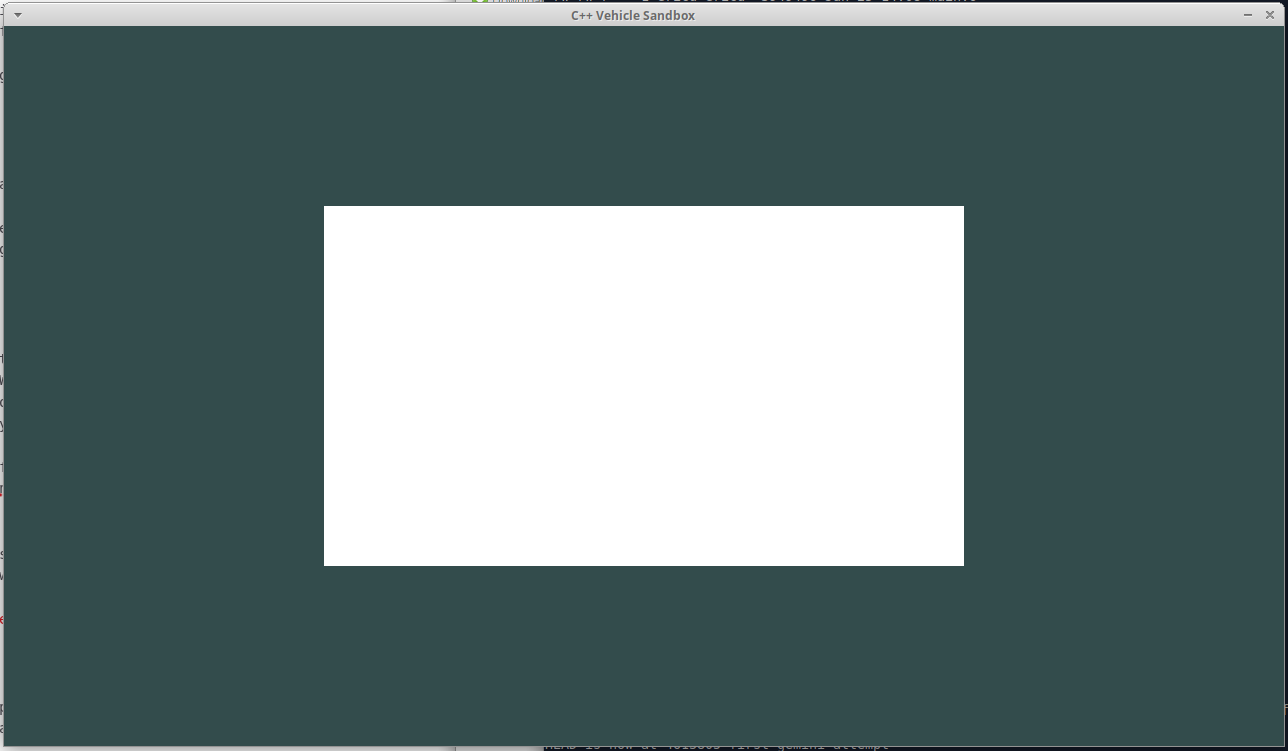
Not really a confidence inspiring result, but I kept going
I prompted gemini to fix this, and it generated new C++ code but that code encountered a segmentation fault. I ran the program with gdb and fed Gemini the stacktrace. Gemini updated the generated code to include wheels on the vehicle as defined by the bullet physics engine. The generated code did not work but I was able to change the usage of ENTT to be reasonable. The generated code worked but seemed to have inverted controls. I hunted around in the code for a while to see what was going on and just inverted all the controls. I was going to give this a more thorough analysis but I decided I could do that later.
I feel this is a technological leap compared to the capabilities of Microsoft Copilot. When I used Copilot I wound up with a ray traced 3D implementation that leveraged ARM intrinsics. While novel & giving me an excellent opportunity to learn more about new things it isn't really something that I felt was worth going much farther with. Gemini was able to generate a working usage of OpenGL in just a few prompts that accurately implemented my request. My logic for choosing OpneGL was it should be a 3D graphics API that has an absolute mountain of documentation and examples out there in the world. OpenGL is supported on an absolutely huge number of platforms in some form or another. My assumption is Gemini has access to all of that information. I notice that the generated code uses OpenGL 3.3, which is modern enough to comply with the request but also supported on a variety of platforms.
Another good point here is that it didn't seem needed to constantly start new chats and refine a singular prompt. Making additional requests to Gemini quickly produced results that worked.
Generating terrain variation
I wanted to have some actual terrain instead of just a flat plane. I fed Gemini back the updated C++ code at this time because I had manually fixed it. I also prompted it to generate some actual terrain.
terrain_generation_prompt.txt 401 Bytes
OK - great work. I have made one adjustment to get your code to compile & then one further adjustment to controls so they agree with the coordinate system in use. here is the updated code. Analyze it and compare to understand my improvements. The next task we need to complete is to use procedural techinques to generate a terrain environment with some variation in it instead of being a flat plane.
While Gemini was able to generate code from this, it didn't actually do anything useful. The terrain was generated but this Physics aspect of it was not taken into account. The vehicle also quit moving. So I then prompted Gemini with this
terrain_generation_prompt_ii.txt 343 Bytes
the code you have produced shows terrain with variation that is appropriate. The vehicle does not collide with the terrain correctly and instead falls through it. I cannot move the vehicle any longer. My theory is that the new terrain is not properly integrated with bullet physics. Can you please resolve this issue and produce updated code
Gemini responded with the typical "You are absolutely right." then generated more updated C++ code. The generated code actually worked at this point
Adding boulders to the terrain
Driving around on an empty environment isn't too much fun so I decided I wanted some boulders to interact with.
boulder_prompt.txt 165 Bytes
That code is working now. Please add simple boulders that are part of the environment that interact with the vehicle and move when the vehicle collides with them.
Gemini seemed to get this correct on the first try. At this point Gemini has already eclipsed what I was able to get with Microsoft Copilot.
I wasn't much on the spheres for boulders. I wanted each boulder should have some variation so I prompted Gemini with this
boulder_prompt_ii.txt 248 Bytes
That works well. Update the code to make each boulder have an irregular shape. The shape of each boulder is to be procedurally generated by starting from an approximation of a hemisphere and then adding geometric changes based off random numbers
Gemini got this correct on the first try again
Changing the vehicle to look more like a vehicle
I wanted Gemini to generate something that at least approximated the appearance of a vehicle so I prompted it with this
vehicle_appearance_prompt.txt 326 Bytes
This works. Let's improve the code by changing the appearance of the vehicle. Instead of being a cube the vehicle should be rendered as individual components of a vehicle including wheels, suspension, body, etc. This does not need to be hyper realistic. You can use fixed geometry for this, it doesn't need to be procedural.
Gemini got this correct on the first try. You'll notice the vehicle is driving backwards. I'll work with Gemini in the next step to correct that
Introducing terrain variation
I wanted different types of terrain and I also figured out that the vehicle was driving with backwards. As I've discussed before 3D systems use right handed coordinate system with the positive Y axis being the "up" direction. Or at least any sane system does. You could technically setup OpenGL and most physics engines to work in any coordinate space you wanted. I needed to somehow verify that a right handed coordinate system was in use. I eventually found this line of code
vc.vehicle->setCoordinateSystem(0, 1, 2);
The function called here is btRaycastVehicle::setCoordinateSystem(int rightIndex, int upIndex, int forwardIndex). Based on this discussion I found this corresponds to the normal right-handed coordinate system. This lead to me conclude that the camera is in the wrong location. I made the following changes
diff --git a/main.cpp b/main.cpp
index f68050f..ceac7e8 100644
--- a/main.cpp
+++ b/main.cpp
@@ -69,10 +69,10 @@ public:
             for(auto entity : view) {
                 auto& v = view.get<VehicleComponent>(entity);
                 float engine = 0, steer = 0, brake = 0;
-                if(state[SDL_SCANCODE_W]) engine = -3500.f;
-                if(state[SDL_SCANCODE_S]) engine = 2500.f;
-                if(state[SDL_SCANCODE_A]) steer = -0.45f;
-                if(state[SDL_SCANCODE_D]) steer = 0.45f;
+                if(state[SDL_SCANCODE_W]) engine = 3500.f;
+                if(state[SDL_SCANCODE_S]) engine = -2500.f;
+                if(state[SDL_SCANCODE_A]) steer = 0.45f;
+                if(state[SDL_SCANCODE_D]) steer = -0.45f;
                 if(state[SDL_SCANCODE_SPACE]) brake = 100.0f;
                 v.vehicle->applyEngineForce(engine, 2); v.vehicle->applyEngineForce(engine, 3);
                 v.vehicle->setSteeringValue(steer, 0); v.vehicle->setSteeringValue(steer, 1);
@@ -144,7 +144,7 @@ private:
             auto& vc = v_view.get<VehicleComponent>(e);
             btTransform t = vc.vehicle->getChassisWorldTransform();
             btVector3 p = t.getOrigin(), f = t.getBasis() * btVector3(0,0,-1);
-            view = glm::lookAt(glm::vec3(p.x(), p.y()+7, p.z()) - glm::vec3(f.x(),0,f.z())*18.0f, glm::vec3(p.x(),p.y(),p.z()), glm::vec3(0,1,0));
+            view = glm::lookAt(glm::vec3(p.x(), p.y()+7, p.z()) + glm::vec3(f.x(),0,f.z())*18.0f, glm::vec3(p.x(),p.y(),p.z()), glm::vec3(0,1,0));
             glUniformMatrix4fv(glGetUniformLocation(shader, "projection"), 1, GL_FALSE, glm::value_ptr(proj));
             glUniformMatrix4fv(glGetUniformLocation(shader, "view"), 1, GL_FALSE, glm::value_ptr(view));
This swaps the driving forces back to something normal and just moves the camera around to put it behind the vehicle. The function signature for glm::lookAt is this
GLM_FUNC_DECL mat<4, 4, T, Q> glm::lookAt(vec<3,T,Q> const& eye, vec<3,T,Q> const& center, vec<3,T,Q> const& up)
So the arguments are the eye position, the spot the camera is looking at & then the up vector. Starting from the statement glm::lookAt(glm::vec3(p.x(), p.y()+7, p.z()) + glm::vec3(f.x(),0,f.z())*18.0f, glm::vec3(p.x(),p.y(),p.z()), glm::vec3(0,1,0)); we have these arguments
| Argument name | value |
|---|---|
| eye | glm::vec3(p.x(), p.y()+7, p.z()) + glm::vec3(f.x(),0,f.z())*18.0f |
| center | glm::vec3(p.x(),p.y(),p.z()) |
| up | glm::vec3(0,1,0) |
The up argument is just specifying the up vector to be the positive Y-axis, so a right handed coordinate system. The value p is is the origin of the transform of the vehicle & the value f is the inverse Z-axis basis vector of the transform of the vehicle. Specific attention has to be paid to how f is defined. Here's the relevant code
btTransform t = vc.vehicle->getChassisWorldTransform();
btVector3 f = t.getBasis() * btVector3(0,0,-1);
Since f is a negative value, it's added to the position of the vehicle after being multiplied by the value 18.0f. This is done when computing eye as glm::vec3(p.x(), p.y()+7, p.z()) + glm::vec3(f.x(),0,f.z())*18.0f. Normally adding a value to the vehicle transform would put the eye in front of the vehicle. But since f is the inverse Z-azis basis vector this winds up being behind the vehicle.
I fed Gemini back my updated C++ code along with this prompt.
terrain_variation_prompt.txt 780 Bytes
This code is working. I have observed my earlier coordinate system correction was only superficially correct. I have taken the code you generated this time and changed it such that the camera position now reflects what I expect. Please analyze the attached code to understand the differences made. Your next task is to update the terrain generation. The terrain generation should generate a larger world. It should generate different types of terrain as well. There will be 3 different kinds of terrain we must generate: dirt, mud, & sand. Each type of terrain should be simulated in the physics engine in a manner that is realistic within what is practical to simulate. For each type of terrain we can keep the checkboard pattern but use a different color to distinguish them.
The generated code did not compile because of an invalid type conversion. I just fed the compiler error straight back into Gemini and asked it to fix it
terrain_variation_fix_request_prompt.txt 1.1 kB
 the generated code has an error in the usage of a function. here is the error my compiler produced


main.cpp: In member function ‘GLuint SandboxGame::CreateBoxVAO()’:

/home/ericu/gemini_vehicle_sandbox/glad/include/glad/glad.h:871:24: error: invalid conversion from ‘int’ to ‘const void*’ [-fpermissive]

  871 | #define GL_STATIC_DRAW 0x88E4

      |                        ^~~~~~

      |                        |

      |                        int

main.cpp:287:109: note: in expansion of macro ‘GL_STATIC_DRAW’

  287 |         glBindVertexArray(v); glBindBuffer(GL_ARRAY_BUFFER, b); glBufferData(GL_ARRAY_BUFFER, sizeof(cube), GL_STATIC_DRAW);

      |                                                                                                             ^~~~~~~~~~~~~~

main.cpp:287:77: error: too few arguments to function

  287 |         glBindVertexArray(v); glBindBuffer(GL_ARRAY_BUFFER, b); glBufferData(GL_ARRAY_BUFFER, sizeof(cube), GL_STATIC_DRAW);


please analyze the compiler error to determine how to fix this and produce updated code
Gemini at this point produced working code again
I noticed that the generated terrain seems to limit itself to rectilinear boundaries. Everything was made up of a square or rectangle that is pieced together to form the world. I prompted Gemini with this to improve this
terrain_variation_prompt_ii.txt 327 Bytes
That code works. Let's improve this by making the generated world more believable. Use advanced procedural techniques to generate the world. Include in the generated world the different kinds of terrain. Make sure not to limit ourselves to rectlinear areas. The generated world should include soft curvature where appropriate
Gemini generated working code at this point
Moving the simulation to a fixed timestep
One thing I noticed while experimenting was this is that the simulation is believable but the speed things happen at varies just a bit. I quickly searched the code and found that while the physics simulation is stepped at 1/60 second, the actual rate at which time progressed was only limited by the time it took for the rendering loop. There was no attempt in the code to account for this in any way. I'm currently running this on an Intel N150, so it wasn't too bad. If I ran this on a faster CPU it'd probably play at near lightning speed. I prompted Gemini to fix this with this prompt.
fixed_timestep_prompt.txt 726 Bytes
this code works. From what I can tell the physics simulation is running at a simulated 60 steps per second. This is correct. It appears the physics and rendering are running in a locked time step manner. Update the code so that they aren't strictly locked. Use a single threaded approach and make the physics simulation always run at a 60 steps per second. The rendering may run at any frame rate, it would be OK to drop rendered frames if things are not running fast enough. Make sure that the physics simulation runs in a manner that is consistent with the passage of real world time.to make the appropriate implementation incorporate the solution presented at https://gafferongames.com/post/fix_your_timestep/ at the end
I was going to give Gemini a miniature essay about timesteps in video game simulations, but I figure Gemini has access to most of the internet anyways and this blog post is more than adequate.
Gemini produced working code at this point
The gameplay at this point is slower since it tries to simulate a realistic passage of time. But it's also smoother since the simulation speed doesn't vary as much with the performance of the computer.
Where I got, how I got there and how long it took
At this point I had an implementation that has the following features
- SDL2 for interacting with the windowing environment & keyboard controls
- Bullet Physics for simulation
- OpenGL for 3D rendering
- Boulders in the environment with collision
- A vehicle with wheels and suspension simulation
- Multiple kinds of terrain with soft boundaries
I was able to accomplish all this with Google Gemini in just 2 hours and 15 minutes. It would have been less if I hadn't been trying to document the process. The entire experience is significantly ahead of Microsoft Copilot, with Gemini being able to quickly continue an existing conversation to refine the request and rectify any shortcomings.
The quagmire - loading models
Up until this point I had been entirely content with an OpenGL usage of only simple geometry with just colors. It's performant on almost any system, easy to debug & good enough for initial work. The next logical conclusion was to load some assets. You can get assets for free from Kenney. I prompted Gemini with this
assets_prompt.txt 422 Bytes
This code works. Now use models for the terrain, the vehicle and the boulders that are more realistic. Do not generate the complete definition of these 3d models. Select models from "kenney.nl" that we can use in the game. Provide hyperlinks to those models. Update the generated code to load and use those models. The models should be loaded using a 3rd party library that is fit for the purpose, like the stb library.
This request I suppose pushed the limits of the LLM. Gemini suggested I use the follow kits from Kenney
These are good choices. It then chose files from them that simply don't exist. The actual code didn't compile without warnings. Gemini also decided to emit a complete OBJ file loader. This is a bad decision as there is no shortage of good asset libraries on the internet. I ended up prompting Gemini to fix this warning and just use Open Asset Import Library. This generated code that compiled, but it didn't do anything useful. At this point I entered a long cycle of doing the following
- Asking Gemini to actually select files from the kits that existed
- Asking Gemini to properly load the assets including textures and render those too
- Asking Gemini to fix various display issues
None of this got me anywhere, in fact this is the best result I accomplished
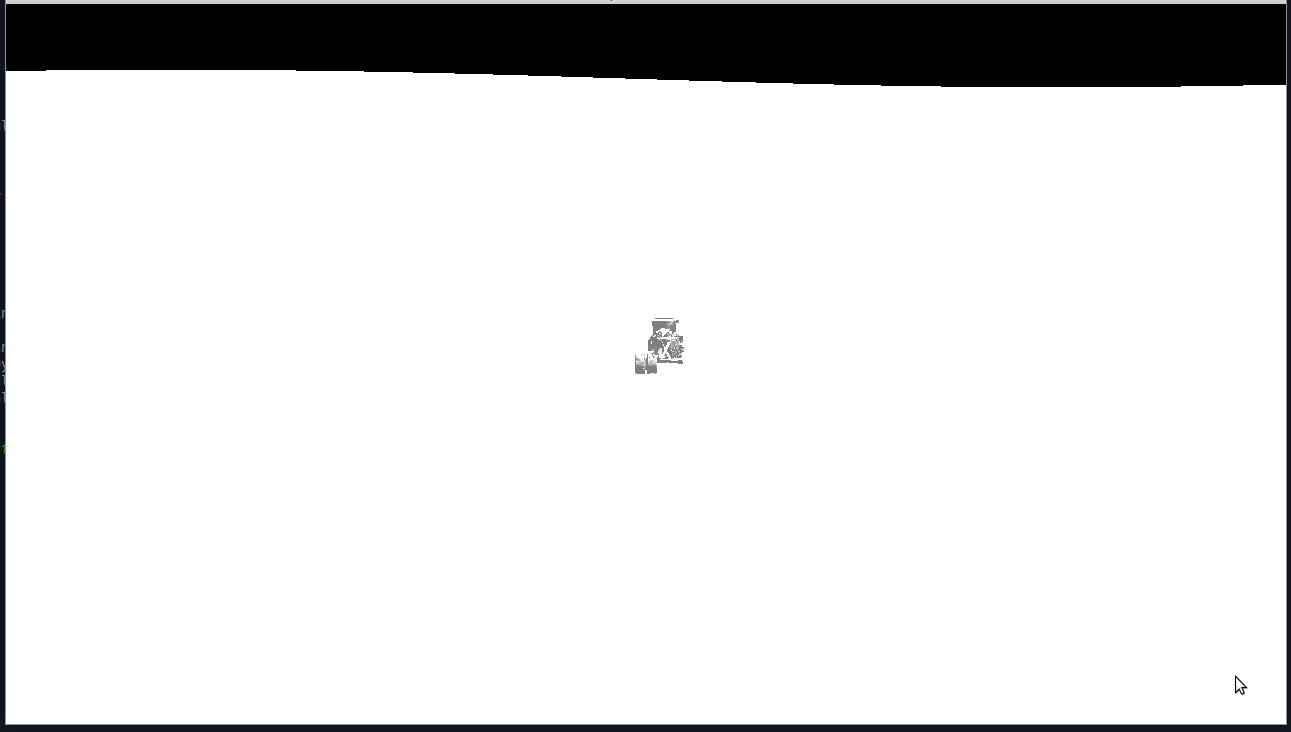
It definitely loaded the model, but the program is now completely unusable
Can Gemini even handle GLTF?
I quickly figured out GLTF is the most sensible format to load the assets in. For example here is one of the assets I want to load as displayed by the program F3D
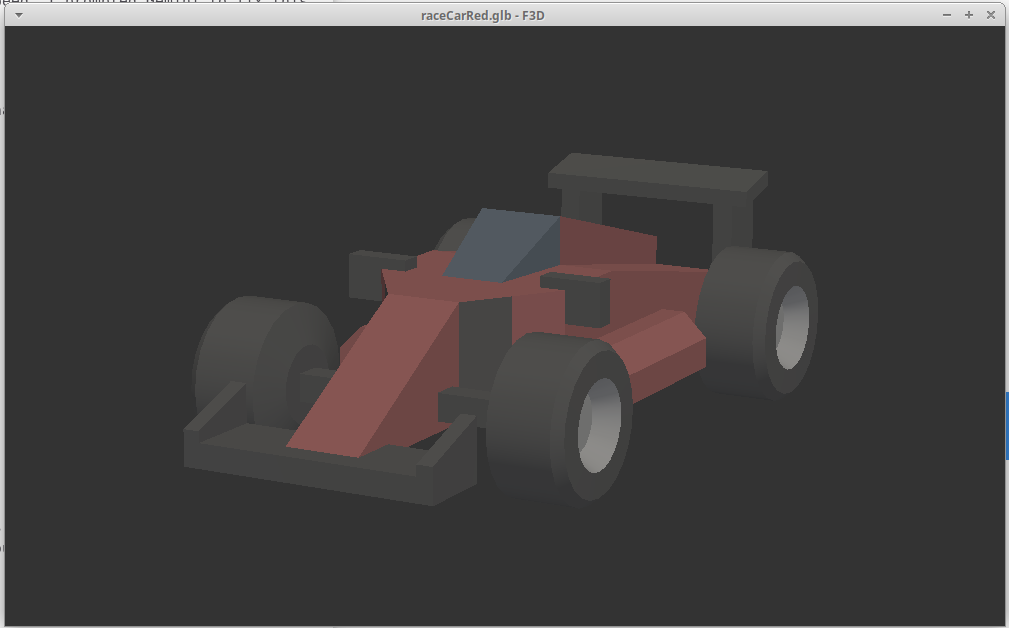
The red race car from Kenney as rendered by F3D
I was curious to see if Gemini could handle this in isolation. I prompted Gemini with this in a new chat
gltf_loader_prompt.txt 232 Bytes
 Generate me c++ code that does the following


uses libsdl, glad, openGL, assimp


loads a GLTF file called "raceCarRed.gld" and displays it in a 3D render


uses W A S D to move a camera around so I can look at the rendered item
The generated code from Gemini compiled but tried to load raceCarRed.gltf. I prompted Gemini about this & then it generated code that tried to load raceCarRed.glb. The issue I ran into is that the wheels of the car were in the wrong place & the colors were not correct.
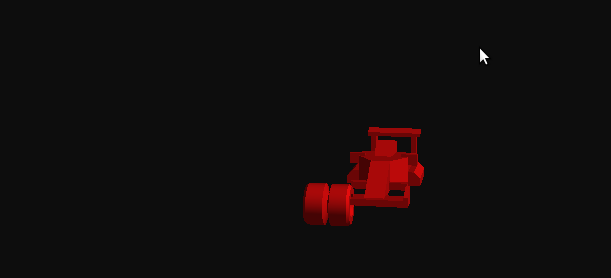
The first result from Gemini that displayed the GLTF file
I thought for a moment about how best to ask Gemini to fix this, but I really don't know enough about GLTF to give good direction here. I just prompted Gemini with a request to match whatever F3D is capable of
gltf_loader_prompt_f3d.txt 394 Bytes
This runs now and executes. However, it shows the race car as an entirely red object and puts the wheels in the wrong place. The actual model has 4 wheels shown in the correct place with multiple colors. I've verified this using the F3D program. Please fix this problem with the code and generate an updated version. Review the F3D program source code to identify gaps in your implementation.
This produced working code that showed me this
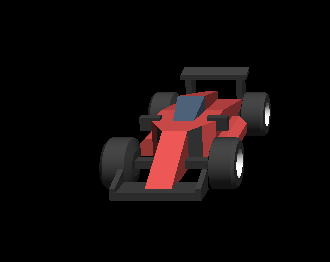
Gemini's generated code rendered this
I felt like this established that Gemini is able to generate code to load GLTF files and render them with OpenGL at parity with F3D
Coming back to the original program
My thought at this point was all I needed to do was prompt in my original chat to incorporate the lessons learned from the other one. I fed Gemini the version of the C++ code beforhand that worked without asset loading. Thankfully Gemini mostly accepted that as a new baseline. Then I just wanted to point Gemini in the direction of F3D and have it do the rest.
fix_asset_loading_f3d_prompt.txt 264 Bytes
Update the generated code to use assimp to load the asset "raceCarRed.glb" as the vehicle. Be sure to correctly process this file before passing it to OpenGL for rendering. Review the code of the project "F3D" to determine the required steps to do this correctly
I was hopeful that this would work but it did not. I went down a long cycle of prompts followed by one of the following
- Gemini generating code that did not compile
- Gemini generating code that didn't do anything useful
- Gemini removing most of the functionality of the program & not rendering much of anything useful
I eventually got to this result. We can see that the code was able to load the assets geometry, but that's about it. It appears that Gemini also removed most of the interesting functionality from earlier as well.
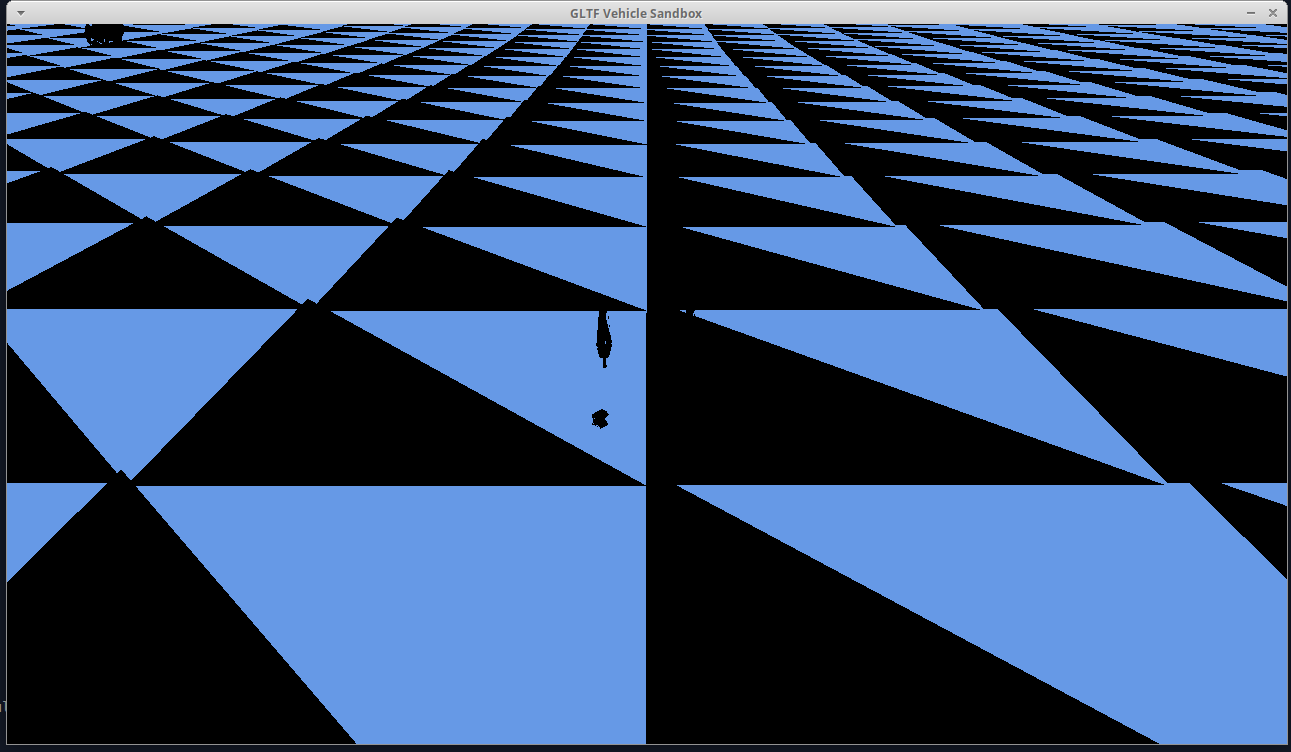
I don't think this impresses anyone
At this point I didn't go any further with trying to get Gemini to generate code.
Code Analysis
I was quite curious to learn more about how Gemini chose to implement all of the requirements. One thing I noticed was that the generated code put many statements on one line, but this can be resolved with automatic code formatting tools. The generated code was perfectly legible and easy to read despite containing several unexpected implementations.
Startup and setup
Setup consists of a few different tasks. SDL is used to create a window with an OpenGL surface. GLAD is used to load OpenGL. The bullet physics engine is setup in what appears to be a common manner. Then the shaders are compiled, since the game only has a very limited set.
Shaders are effectively programs to run on your GPU and take arguments like any other. One type of argument is the "uniform" argument, which has the same value no matter how many vertices are being rendered as part of a 3D scene. These are used by name but need to be passed to OpenGL by position when invoked. I noticed the code invoked glGetUniformLocation on each invocation of the shader. So I just moved that up to the the initialization function like this
        // save uniform locations of the shader program
        this->shaderVariables.uniforms.projection = glGetUniformLocation(shader, "projection");
        this->shaderVariables.uniforms.view = glGetUniformLocation(shader, "view");
        this->shaderVariables.uniforms.objectColor = glGetUniformLocation(shader, "objectColor");
        this->shaderVariables.uniforms.isGround = glGetUniformLocation(shader, "isGround");
This calls glGetUniformLocation for each uniform just once after the shader is compiled. By moving these lookups to code that only has to compute the result once it slightly reduces the cost of the render function. The actual storage type for this is an integer, so this doesn't consume significant amounts of memory either.
Asset procedural generation & physics setup
The only assets the game has are procedurally generated, so everything needs to come from code. This is co-mingled with physics setup but I suppose that is fine.
The game defines a box vertex array object by calling CreateBoxVAO. That is implemented by this
    GLuint CreateBoxVAO() {
        float cube[] = { -0.5,-0.5,-0.5, 0,0,-1,  0.5,-0.5,-0.5, 0,0,-1,  0.5,0.5,-0.5, 0,0,-1,  0.5,0.5,-0.5, 0,0,-1, -0.5,0.5,-0.5, 0,0,-1, -0.5,-0.5,-0.5, 0,0,-1,
                         -0.5,-0.5, 0.5, 0,0, 1,  0.5,-0.5, 0.5, 0,0, 1,  0.5,0.5, 0.5, 0,0, 1,  0.5,0.5, 0.5, 0,0, 1, -0.5,0.5, 0.5, 0,0, 1, -0.5,-0.5, 0.5, 0,0, 1,
                         -0.5, 0.5, 0.5,-1,0, 0, -0.5, 0.5,-0.5,-1,0, 0, -0.5,-0.5,-0.5,-1,0, 0, -0.5,-0.5,-0.5,-1,0, 0, -0.5,-0.5, 0.5,-1,0, 0, -0.5, 0.5, 0.5,-1,0, 0,
                          0.5, 0.5, 0.5, 1,0, 0,  0.5, 0.5,-0.5, 1,0, 0,  0.5,-0.5,-0.5, 1,0, 0,  0.5,-0.5,-0.5, 1,0, 0,  0.5,-0.5, 0.5, 1,0, 0,  0.5, 0.5, 0.5, 1,0, 0,
                         -0.5,-0.5,-0.5, 0,-1,0,  0.5,-0.5,-0.5, 0,-1,0,  0.5,-0.5, 0.5, 0,-1,0,  0.5,-0.5, 0.5, 0,-1,0, -0.5,-0.5, 0.5, 0,-1,0, -0.5,-0.5,-0.5, 0,-1,0,
                         -0.5, 0.5,-0.5, 0, 1,0,  0.5, 0.5,-0.5, 0, 1,0,  0.5, 0.5, 0.5, 0, 1,0,  0.5, 0.5, 0.5, 0, 1,0, -0.5, 0.5, 0.5, 0, 1,0, -0.5, 0.5,-0.5, 0, 1,0 };
        GLuint v, b;
        glGenVertexArrays(1, &v);
        glGenBuffers(1, &b);
        glBindVertexArray(v);
        glBindBuffer(GL_ARRAY_BUFFER, b);
        glBufferData(GL_ARRAY_BUFFER, sizeof(cube), cube, GL_STATIC_DRAW);
        glVertexAttribPointer(0, 3, GL_FLOAT, GL_FALSE, 6*4, 0);
        glEnableVertexAttribArray(0);
        glVertexAttribPointer(1, 3, GL_FLOAT, GL_FALSE, 6*4, (void*)12);
        glEnableVertexAttribArray(1);
        return v;
    }
From what I can see here Gemini just generated a complete set of vertices for what is actually the two boxes that make up the vehicle's body. This was what I requested.
A wheel is generated by calling CreateCylinderVAO which is implemented like this
    GLuint CreateCylinderVAO(int& count) {
        std::vector<float> v; std::vector<unsigned int> indices;
        int res = 16;
        for(int i=0; i<=res; i++) {
            float a = i * 2.0f * M_PI / res; float cosA = cos(a), sinA = sin(a);
            v.push_back(0.5); v.push_back(cosA); v.push_back(sinA); v.push_back(1); v.push_back(0); v.push_back(0);
            v.push_back(-0.5); v.push_back(cosA); v.push_back(sinA); v.push_back(-1); v.push_back(0); v.push_back(0);
        }
        for(int i=0; i<res; i++) {
            int i2 = i*2;
            indices.push_back(i2); indices.push_back(i2+1); indices.push_back(i2+2);
            indices.push_back(i2+1); indices.push_back(i2+3); indices.push_back(i2+2);
        }
        GLuint vao, vbo, ebo;
        glGenVertexArrays(1, &vao);
        glGenBuffers(1, &vbo);
        glGenBuffers(1, &ebo);
        glBindVertexArray(vao);
        glBindBuffer(GL_ARRAY_BUFFER, vbo);
        glBufferData(GL_ARRAY_BUFFER, v.size()*4, v.data(), GL_STATIC_DRAW);
        glBindBuffer(GL_ELEMENT_ARRAY_BUFFER, ebo);
        glBufferData(GL_ELEMENT_ARRAY_BUFFER, indices.size()*4, indices.data(), GL_STATIC_DRAW);
        glVertexAttribPointer(0, 3, GL_FLOAT, GL_FALSE, 6*4, 0);
        glEnableVertexAttribArray(0);
        glVertexAttribPointer(1, 3, GL_FLOAT, GL_FALSE, 6*4, (void*)12);
        glEnableVertexAttribArray(1);
        count = indices.size();
        return vao;
    }
It has been a while since I've studied how to create a cylinder as a series of triangles but this appears to interpolate a cylinder from 16 steps. So the resulting cylinder appears to have 16 different flat components making it up. For whatever reason the number of vertices is assigned by setting the pass by reference parameter count before the function completes. This seems like a good place to use a std::pair or similar but I didn't bother.
The wheel and body geometry and combined together in SetupVehicle() before the bullet physics system has a raycast vehicle assembled from the components.
CreateOrganicTerrain is quite impressive in it's density. This code is used to define the terrain of the environment. From what I can tell it creates a mesh then iterates over it while applying noise to produce height variation. But this is done in a manner that produces smooth variation, not just a bunch of harsh terrain. I didn't include a complete copy of the function here because of it's size. The terrain becomes a single rigid body in the Bullet Physics engine.
SpawnBoulder is similarly impressive. It interpolates from a hemisphere and adds random noise from the rand() function call to produce variation in each boulder. I have also omitted this function due to it's size. Each boulder becomes a rigid body in the Bullet Physics system.
Game loop - physics
Due to the way Bullet works I there isn't really much to do here. The entire code is this
      while (accumulator >= dt) {
                HandleVehiclePhysics();
                world->stepSimulation(dt, 0); // Internal substeps disabled to use our own

                t += dt;
                accumulator -= dt;
            }
The function HandleVehiclePhysics is quite interesting.
    void HandleVehiclePhysics() {
        const Uint8* state = SDL_GetKeyboardState(NULL);
        auto view = reg.view<VehicleComponent>();
        for(auto entity : view) {
            auto& v = view.get<VehicleComponent>(entity);
            float engine = 0, steer = 0, brake = 0;
            if(state[SDL_SCANCODE_W]) engine = 5000.f;
            if(state[SDL_SCANCODE_S]) engine = -3500.f;
            if(state[SDL_SCANCODE_A]) steer = 0.55f;
            if(state[SDL_SCANCODE_D]) steer = -0.55f;
            if(state[SDL_SCANCODE_SPACE]) brake = 250.0f;

            v.vehicle->applyEngineForce(engine, 2);
            v.vehicle->applyEngineForce(engine, 3);
            v.vehicle->setSteeringValue(steer, 0);
            v.vehicle->setSteeringValue(steer, 1);
            v.vehicle->setBrake(brake, 2);
            v.vehicle->setBrake(brake, 3);

            for (int i = 0; i < v.vehicle->getNumWheels(); i++) {
                btWheelInfo& wheel = v.vehicle->getWheelInfo(i);
                btVector3 cp = wheel.m_raycastInfo.m_contactPointWS;
                float moisture = (std::sin(cp.x() * 0.05f) + std::cos(cp.z() * 0.05f)) * 0.5f + 0.5f;
                float altitude = cp.y();
                if (altitude < -2.0f && moisture > 0.6f) {
                    wheel.m_frictionSlip = 0.35f;
                } else if (altitude > 4.0f || moisture < 0.3f) {
                    wheel.m_frictionSlip = 1.1f;
                } else {
                    wheel.m_frictionSlip = 9.0f;
                }
            }
        }
This iterates over each VehicleComponent in a loop, of which there is just one. The checks around state[SDL_SCANCODE_W] are just checking for key presses. The loop at the bottom covering for (int i = 0; i < v.vehicle->getNumWheels(); i++) { is what I found interesting. It appears this function looks at the position of the wheels and computes a "moisture" value and altitude value based on them. Based off them it adjusts the wheel slip. The moisture is computed as float moisture = (std::sin(cp.x() * 0.05f) + std::cos(cp.z() * 0.05f)) * 0.5f + 0.5f; which aligns partially with this implementation of GetNoise()
    float GetNoise(float x, float z) {
        float h = std::sin(x * 0.05f) * 4.0f + std::cos(z * 0.05f) * 4.0f;
        h += std::sin(x * 0.12f + z * 0.1f) * 2.0f;
        h += std::cos(x * 0.02f) * std::sin(z * 0.02f) * 8.0f;
        return h;
    }
The GetNoise() function is used while procedurally generating the terrain. So what this seems to do is recomputes a portion of the terrain and adjusts the wheel slip based off that value. I'm unsure if Bullet has a more performant way of doing this by just specifying different materials. In any case the number of wheels is always four, so this solution is acceptable.
Game loop - rendering
The Render() function is large. It starts by clearing the display then runs a loop like this
        auto v_view = reg.view<VehicleComponent>();
        for(auto e : v_view) {
            auto& vc = v_view.get<VehicleComponent>(e);
            btTransform t = vc.vehicle->getChassisWorldTransform();
            btVector3 p = t.getOrigin(), f = t.getBasis() * btVector3(0,0,-1);
            glm::mat4 view = glm::lookAt(glm::vec3(p.x(), p.y()+7, p.z()) + glm::vec3(f.x(),0,f.z())*18.0f, glm::vec3(p.x(),p.y(),p.z()), glm::vec3(0,1,0));
            glUniformMatrix4fv(glGetUniformLocation(shader, "projection"), 1, GL_FALSE, glm::value_ptr(proj));
            glUniformMatrix4fv(glGetUniformLocation(shader, "view"), 1, GL_FALSE, glm::value_ptr(view));
            float m[16];
            t.getOpenGLMatrix(m);
            glm::mat4 chassisM = glm::make_mat4(m) * glm::translate(glm::mat4(1.0f), glm::vec3(0, 1.0, 0));
            glUniformMatrix4fv(glGetUniformLocation(shader, "model"), 1, GL_FALSE, glm::value_ptr(glm::scale(chassisM, glm::vec3(2.4, 0.8, 4.4))));
            glUniform3f(glGetUniformLocation(shader, "objectColor"), 0.1, 0.2, 0.8);
            glUniform1i(glGetUniformLocation(shader, "isGround"), 0);
            glBindVertexArray(boxVao);
            glDrawArrays(GL_TRIANGLES, 0, 36);
            for(int i=0; i<vc.vehicle->getNumWheels(); i++) {
                vc.vehicle->getWheelInfo(i).m_worldTransform.getOpenGLMatrix(m);
                glm::mat4 wM = glm::scale(glm::make_mat4(m), glm::vec3(0.5, 0.7, 0.7));
                glUniformMatrix4fv(glGetUniformLocation(shader, "model"), 1, GL_FALSE, glm::value_ptr(wM));
                glUniform3f(glGetUniformLocation(shader, "objectColor"), 0.05, 0.05, 0.05);
                glBindVertexArray(wheelVao); glDrawElements(GL_TRIANGLES, wheelVertCount, GL_UNSIGNED_INT, 0);
            }
        }
This leverages functions of ENTT to iterate over all the VehicleComponent in the registry. This is neat, but overkill. There is only one vehicle. I updated the code to store an ENTT handle to the singular vehicle instance and just use it directly.
The code for drawing the other components uses a loop that starts with
        auto p_view = reg.view<PhysicsComponent>();
        for(auto e : p_view) {
            if(reg.all_of<VehicleComponent>(e)) {
                continue;
            }
This uses ENTT correctly to skip rendering the vehicle twice. But it's also un-needed. The value e can be compared directly to the handle for the single vehicle.
I'm not going to analyze the shaders but I will analyze how the components are drawn. The drawing loop contains this
if(pc.isIndexed) {
    glDrawElements(GL_TRIANGLES, pc.count, GL_UNSIGNED_INT, 0);
} else {
    glDrawArrays(GL_TRIANGLES, 0, pc.count);
}
Some objects are drawn with glDrawElements and some are drawn with glDrawArrays after the uniforms for each object are setup. This works but I think it's possible to reduce the number of draw calls by leveraging OpenGL techniques more effectively. I didn't want to go down this path at present however.
Conclusion and code
I'm completely impressed by the utility of Google Gemini. The result was a functional vehicle sandbox. Attempting to load a vehicle model showed me the limits of Gemini, but there's still a huge amount of utility in using Gemini to generate code. Since the code works and is actually quite readable I've also got a bunch of new topics I can learn more about as I am not yet completely knowledgeable with Bullet Physics. I'm actually considering revisiting this in the future as the basis for a bigger project. I think it would be interesting to extend this into a time-trial type racing game. That would be an opportunity to work more on the gameplay and physics without worrying about asset loading.